
 By
By
Blog post written by Madison Stroker, CSU undergraduate student & CitSci Support Assistant
Your CitSci project doesn’t have to stop at data collection — by integrating with Zooniverse, you can invite volunteers to help classify and interpret everything that’s been gathered.
Why Integrate?
This powerful combination allows you to collect data through CitSci and seamlessly transfer it to Zooniverse, where other citizen scientists from around the globe can help sort, classify, and analyze your data. By following this guide, you can extend the reach of your project and get more people involved in the important work of data analysis.
Another reason to integrate is that you no longer need to worry about the hassle of manually moving data for analysis. Observation photos can be sent directly to Zooniverse, allowing you to focus more on your project, and less on data management.
The best part is it only takes a couple clicks for a project manager to transfer your CitSci project’s observations’ images to Zooniverse.
Watch a full video demo, below, or read this blog post for a step-by-step guide.
Here’s your step-by-step guide:
Step One: Create an account on both CitSci and Zooniverse
For convenience, you can create these accounts with the same email address, but it isn’t necessary.
Step Two: Create a project on CitSci
If you haven’t previously created a project on CitSci, click on Projects at the top of the page, then look for the Start A Project button (you’ll see it marked with a plus sign). For more help on setting up a project, check out our blog post Setting Up Your First Project and Datasheet.
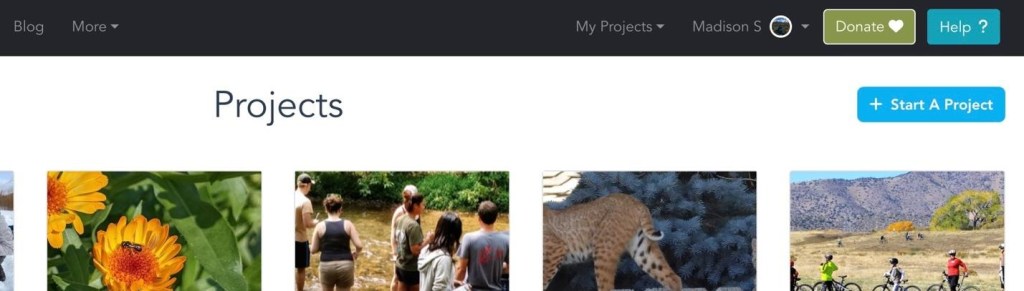
Step Three: Enable Zooniverse integration
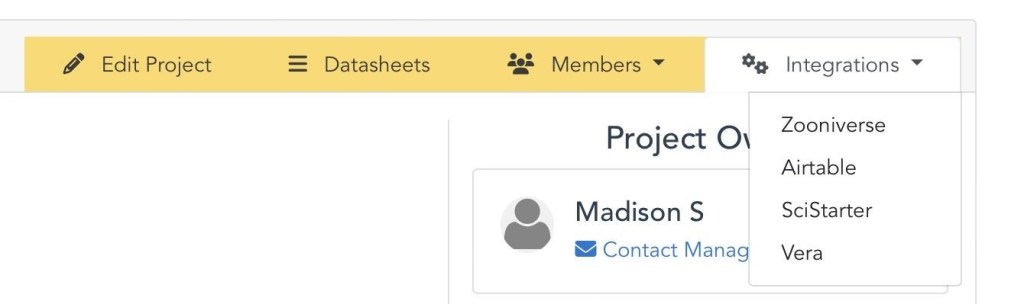
When you create a project, you automatically become the project’s manager and you will see on the project homepage a tab labeled Integrations. Click it, then select Zooniverse to manage the integration. The project does need to be published before enabling the integration.
To start, click on the Status toggle to turn it ON.

You will be prompted to enter your Zooniverse username—make sure to click Look Up Username after entering it. After integrating your first project, the integration page for your future CitSci projects will display your Zooniverse username and you can just click on the button Associate Username. Then, click Create Zooniverse Project to replicate your project on Zooniverse. Once your project has a datasheet and some observations with images, you can come back to this integration page and select the datasheet you wish to send images to Zooniverse. Once you select the datasheet you want to integrate, click Transfer Images to Zooniverse to upload those images to Zooniverse.
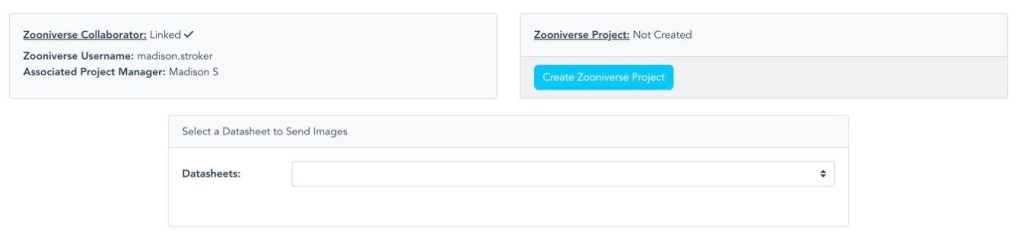
You have the option to send over none, one or any combination of datasheets to Zooniverse for analysis. Each datasheet will have a corresponding Zooniverse subject set created so all observations images for a datasheet will be placed in the same corresponding subject set on the Zooniverse platform.
Step Four: Collect Data
As observations are collected under the project’s datasheet, CitSci will keep track when the last transfer occurred and only transfer observation images submitted since the last transfer. By opening the project builder in Zooniverse, you can manage and customize these classification tasks for volunteers to fit your project’s goals. These can be simple tasks such as identifying species, counting, or transcribing text.
Each item sent from CitSci will be analyzed by multiple users on Zooniverse. By having users come to a common conclusion, the data can be considered more reliable. Zooniverse will automatically combine user responses, detect inconsistencies, and record patterns within the data.
Integration in Action
The Mountain Goat Coat Trackers project used this tool to study the timing of coat shedding in mountain goats and its relation to factors such as sex, presence of kids, elevation, and latitude.
They wanted to determine if earlier shedding periods are related to human-induced climate warming or not.
Citizen scientists helped with the effort by using CitSci to upload photos of mountain goats throughout their different stages of shedding.
Then, other volunteers on Zooniverse assisted in the process of analyzing these photos for the reasons behind the timing of shedding.
Integrating this project with Zooniverse has boosted the number of annotated images, which has helped researchers come to better conclusions regarding mountain goat molting patterns.
From Local to Global
By going through the simple process of integrating your project with Zooniverse, you will have extended the reach and impact of your citizen science project.
While your CitSci volunteers contribute to the essential observations, your Zooniverse volunteers will now be engaged in the classification of those observations.
What a great way to boost participation and collaboration across both platforms! As always, don’t be shy to get in touch with any questions or feedback: http://bit.ly/citscifaq


